


A real result created in Morada OS from the fictional brand's logo and instructions. The development is illustrative, not a property for sale.
1. Save the logo and colors in Brain
Brain is where you keep files and information to use later. Already have a page with your brand materials? Skip to the next section. The button names below match the Portuguese interface.Open a new chat
Check the example logo

Ask for a brand page
Review the proposal before approving
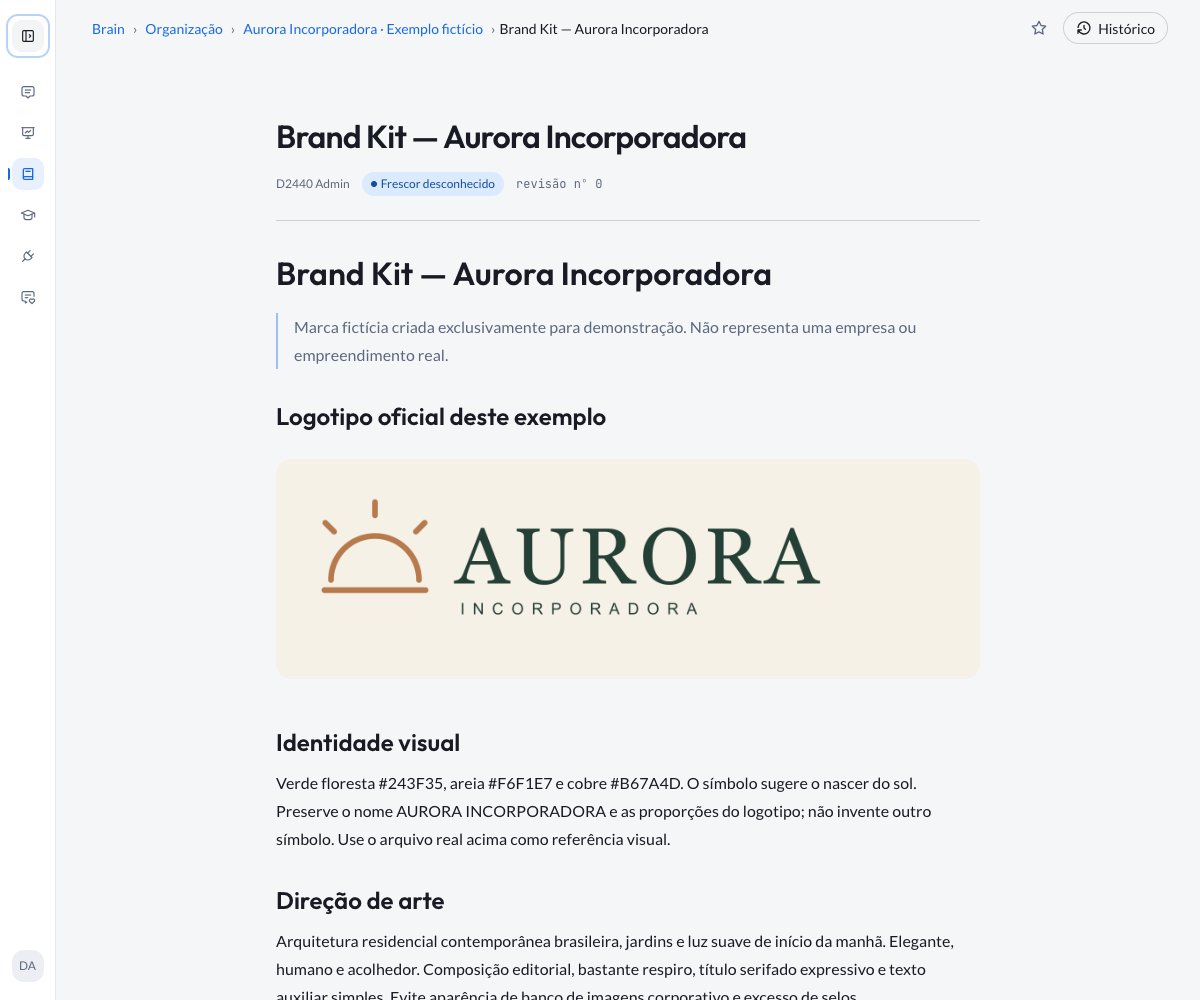
The page brings together the logo and colors. In this screenshot, the example is already in the organization's Brain.
2. Save how you want the brand to be used
A Habilidade (Skill) is a set of saved instructions for repeating a way of working. Here, it tells the assistant how to use Aurora’s materials. This step is optional: you can also keep the instructions on the Brain page.Open the form
Enter the name
Say when to use it
Paste the instructions
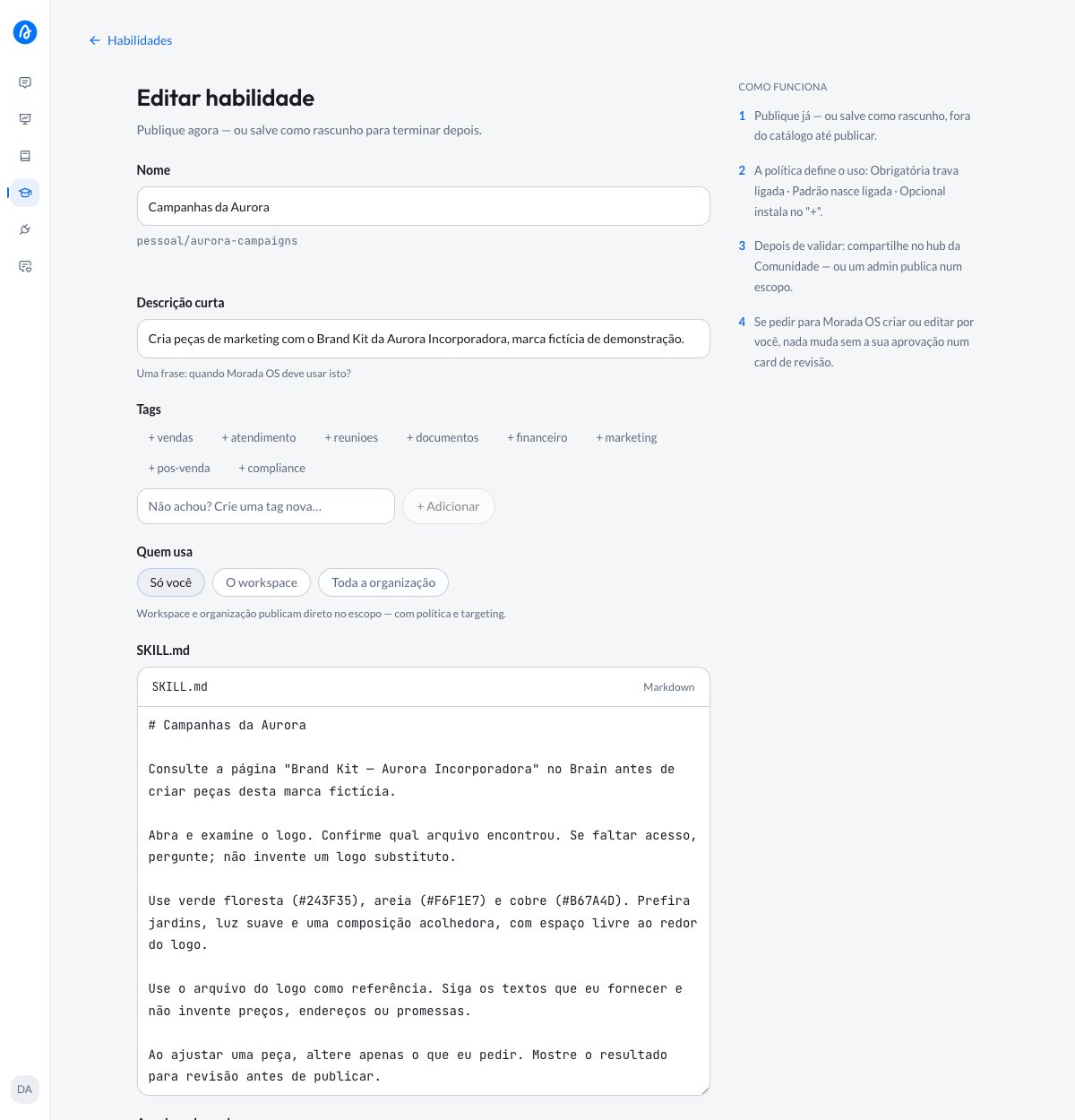
The name, description, and instructions go in this form. The screenshot shows an existing skill being edited, with its instructions in Portuguese.
Publish the skill for yourself
3. Check the logo and request the campaign
Select the page in a new chat
Select the skill
Ask to check the logo

Before sending, check the two selected names above the message. The screenshot shows the request in Portuguese.
Request the first campaign
Review the image
Share the skill with a group
To let the whole Marketing team use the same guidelines, a group Gestor (Manager) can create a team skill:Choose the group
Fill it in and publish
Other ways to use it
I want to adjust the piece without starting over
I want to adjust the piece without starting over
Can I use just Brain or just a skill?
Can I use just Brain or just a skill?
The image will not open or the instructions were not followed
The image will not open or the instructions were not followed