

What you’ll get
A quick profile of the company you’re about to meet: what it does, its recent developments, what’s been in the press over the last few months, and who the people running the business are. All with source links, so you walk into the meeting knowing what you’re talking about.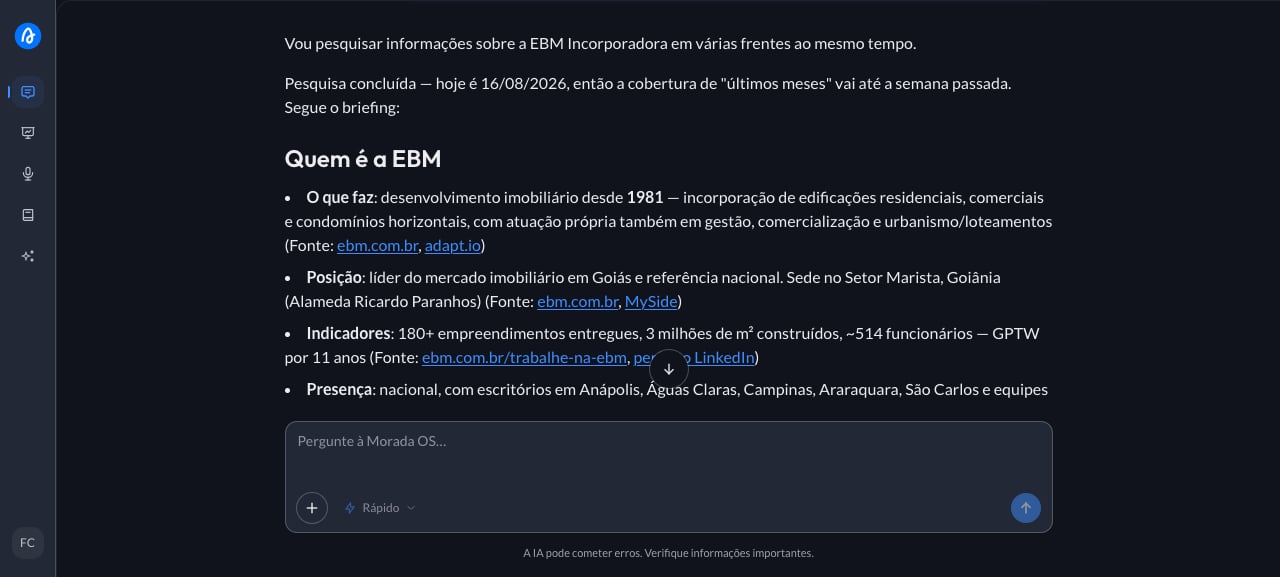
Step by step
1
Copy the ready-made request
This is the request you’ll use. Copy the whole thing.
2
Paste it into the chat and fill in the brackets
The meeting with a partner developer is tomorrow morning and all you know is their name. You want to show up knowing what they’ve launched, the moment they’re in, and who you’ll be talking to. You open Morada OS and type:
3
Get the answer with sources
The assistant searches the web and returns the profile in bullets, each with its link, and it usually closes with suggestions of what to dig into before the conversation. Check the sources for the points you plan to bring up in the meeting, because a corporate site and a news article sometimes tell different versions of the same story. Public profiles also age, so treat a job title or a development count as a starting point, not as today’s truth. If the company is small or very new, it’s normal for little to come back.
Keep the conversation going
“Prepare five sharp questions for me to ask in this meeting.”
“Compare this company with [other company] on size, region, and type of product.”
“Summarize all of this in half a page for me to read on the way there.”
Tips and common problems
- Write the full name and the city. Company names repeat a lot, and the city keeps the assistant from bringing you the namesake from another state.
- If little comes back, that’s a sign of little public presence. Ask it to “also look at social media profiles and local news” before concluding there’s nothing out there.
- The search covers the open web. Your company’s history with this partner (proposals, contracts, conversations) isn’t there: that lives in the Brain or in your connected tools.
Similar cases
- Find out what your competitors launched in your region. Also web search only.
- Keep up with real estate news in your city. Also with no prerequisites.
- Connect your CRM and the assistant also sees this client’s history in your pipeline.